






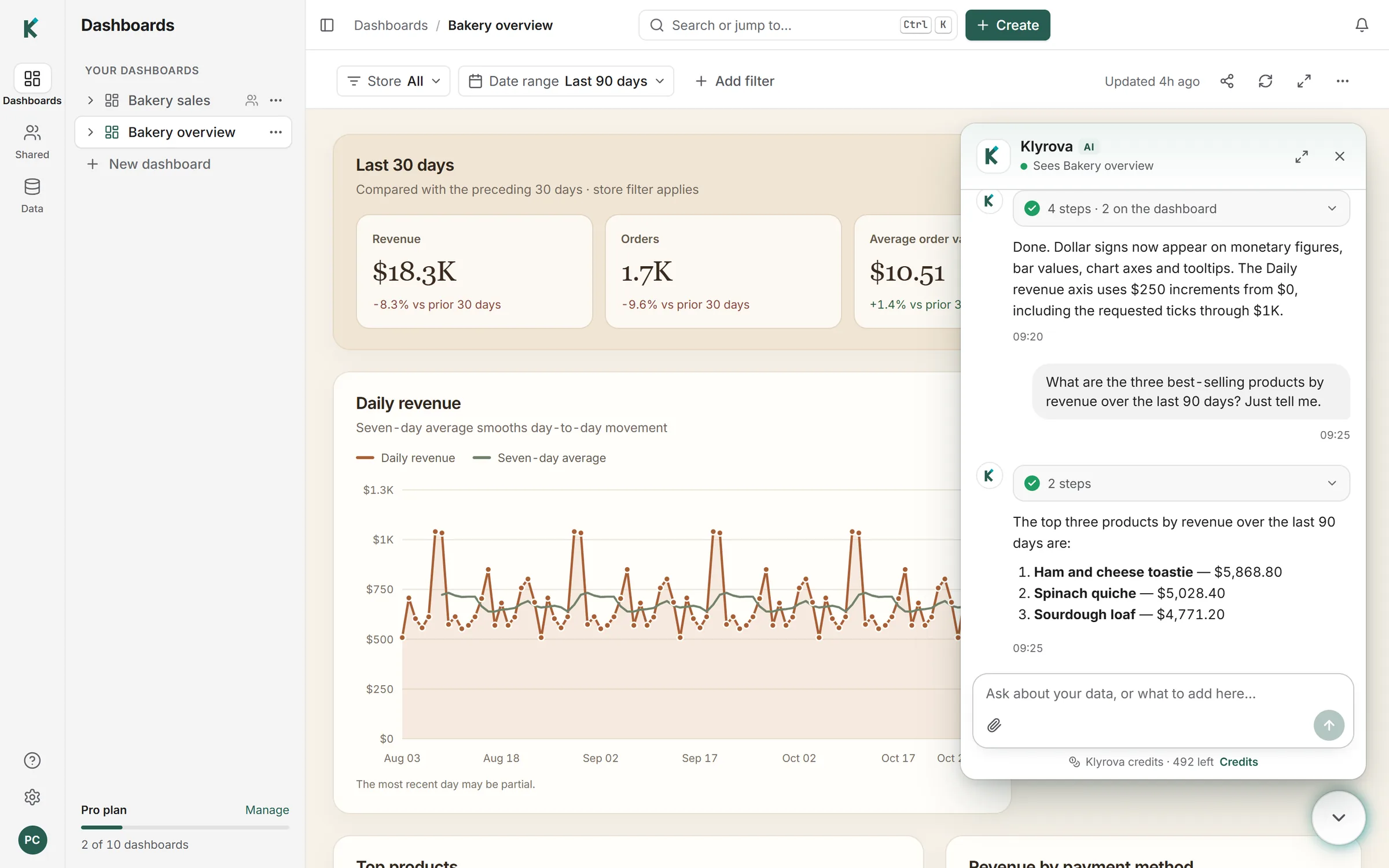
What an AI data analyst is
An AI data analyst, sometimes called an AI data agent or analytics agent, is an AI that does the work between a business question and a trustworthy answer: finding the relevant data, querying it, checking that the result makes sense, and explaining it. It is more than a text-to-SQL box. A single query answers a single question; analysis is the sequence of questions that comes after the first answer.
Klyrova's agent runs that sequence on your own sources. It reads PostgreSQL, SQL Server, Azure SQL and Microsoft Fabric with read-only queries, works with files you upload or attach and with apps such as Jira and Smartsheet, and keeps what it learns about your data in a model it can build on next time.
How an analysis goes
"Revenue fell in September. Find out why."
The agent compared September with the months before by store, product and channel. It found the drop came from two stores, both of which had no orders for nine days in mid-September, and that the rest of the business was flat. It showed the daily orders for those two stores, said it could not tell from the data whether they had closed or stopped recording sales, and asked whether those dates matched anything you knew about.
That last part matters. A good analyst separates what the data shows from what it suggests, and says where the data runs out. Klyrova's answers state the assumptions they rest on ("I counted cancelled orders out", "last quarter means July to September") so you can correct them before they spread into a report.
What the agent does between your questions
- Explores before it answers. It reads schemas, columns, types and foreign keys, and looks at sample rows when a column's meaning isn't obvious from its name.
- Checks its results. It looks at what a query returned before it describes it, so an empty result, a total that doesn't add up or a join that multiplied rows can be caught in the conversation rather than in a board meeting.
- Follows up. "Break that down by region", "exclude internal accounts", "compare with the same month last year" build on what came before.
- Shows its working. Every answer lists the queries it ran, so you or a colleague can check the SQL behind any number.
- Tells you what was slow. Queries that take more than a few seconds are flagged, and the agent can suggest a cheaper way to get the same answer, or an index worth asking your database administrator about.
Bring files into the analysis
Not everything lives in a database. You can attach a file to any question, and the agent reads it with your data:
| Attach | What the agent gets |
|---|---|
| CSV, JSON, text | The contents, to compare with your tables or analyse directly. |
| Excel | Every sheet, read as rows. |
| PDF, Word, PowerPoint | The text, page by page or slide by slide, for a contract, a brief or last quarter's board pack. |
| Images | The picture itself, such as a photo of a whiteboard or a screenshot of a chart to recreate. |
Attachments are read for the conversation, up to 20 MB a file. For data you'll come back to, upload it to a bucket instead: CSV files up to 500 MB, Excel sheets and JSON arrays become tables you can query and build dashboards on. See CSV to dashboard.
It remembers your business in a model
Every analysis starts with the same work: which tables matter, how they join, what "active customer" means. Klyrova keeps that work in a data model: named views, measures such as revenue or margin defined once, and relationships between tables, many of them read from your foreign keys. Later questions read the model instead of rediscovering the schema, so the definition of revenue in this week's answer is the one you agreed last week.
From analysis to something people can use
Analysis that lives in a chat is easy to lose. When an answer is worth keeping, ask Klyrova to put it on the dashboard. It saves the query as a dataset and draws it, and the dashboard then refreshes by replaying the query on a schedule, with no AI in the loop. Share the dashboard with viewers or editors, export a section to Excel, or publish it on Pro and Teams. See AI dashboards and AI reports.
What it doesn't replace
An AI data analyst is fast at the mechanical parts of analysis: finding the data, writing and checking queries, slicing a result five ways. It doesn't know what isn't in your data. It doesn't know that a store was being refitted, that a price change was announced, or that a customer is about to churn. Treat its conclusions the way you'd treat a capable new analyst's first draft: read the reasoning, check the queries that matter, and add what you know.
Questions about AI data analysts
Is an AI data analyst the same as text-to-SQL?
Text-to-SQL turns one question into one query. An AI data analyst runs the whole analysis: several queries, checks on the results, follow-ups and an explanation of what it found. Klyrova does both; see chat with your database for the SQL side.
Can it analyse PDFs and spreadsheets as well as databases?
Yes. Attach a PDF, Word document, PowerPoint deck, Excel workbook, CSV or JSON file to a question and the agent reads it alongside your connected sources.
Does it change my data?
No. Klyrova only reads. Every query is checked to be a single SELECT or WITH before it reaches your database, and PostgreSQL queries also run in a read-only transaction.
Which AI model does it use?
Klyrova runs the AI for you on leading AI models, so there are no API keys to set up. Chats are paid for in Klyrova credits.
Is my data used to train AI models?
Klyrova doesn't use your data to train AI models. Your messages and the results the agent works with are sent to the AI provider Klyrova runs your chats on, to answer you, under API terms that don't let the provider train on them either. The privacy policy has the details.
Updated 14 November 2026